
Looplet is an AI-powered tool that helps people “stay in the loop” and get quick, 24/7 answers based on group-specific information. Looplet helps you share updates once, and then takes care of the follow-up questions.
Whether you're working with a team, managing a project, or sharing information with a group, Looplet makes it easy to stay connected and informed.
How to use Looplet:
Roles
A Loop Leader creates a Loop for a group. They:
- Name the Loop
- Choose the icon and colors
- Upload files to or create text files directly in the Loop
- Manage the notes
- Manage privacy
- Track Loop activity
- Invite group members, or users, to the Loop
A Loop user accesses the Loop to get information. They:
- View the notes and access links provided in the Loop
- Ask questions directly in the chat instead of asking the Loop Leader or searching back through emails, messages, and texts.
Accessing a Loop
There are two ways to acces a Loop:
- Go directly to the Loop URL provided by the Loop Leader (for example looplet.ai/loop/WhatIsLooplet)
- Go to looplet.ai, click Join Loop from the upper right menu, and then enter the Loop Code and passphrase (if needed) provided by the Loop Leader.
Parts of a Loop
A Loop has two parts:
- Notes: AI-generated or hand-written summaries and quick-reference info.
- Users view the notes to get quick info about the group.
- Chat: An AI chatbot that answers questions using only what’s in the Loop, in over 40 languages.
- Users ask questions in the chat to get immediate, reliable answers.
Interface Quick Tips
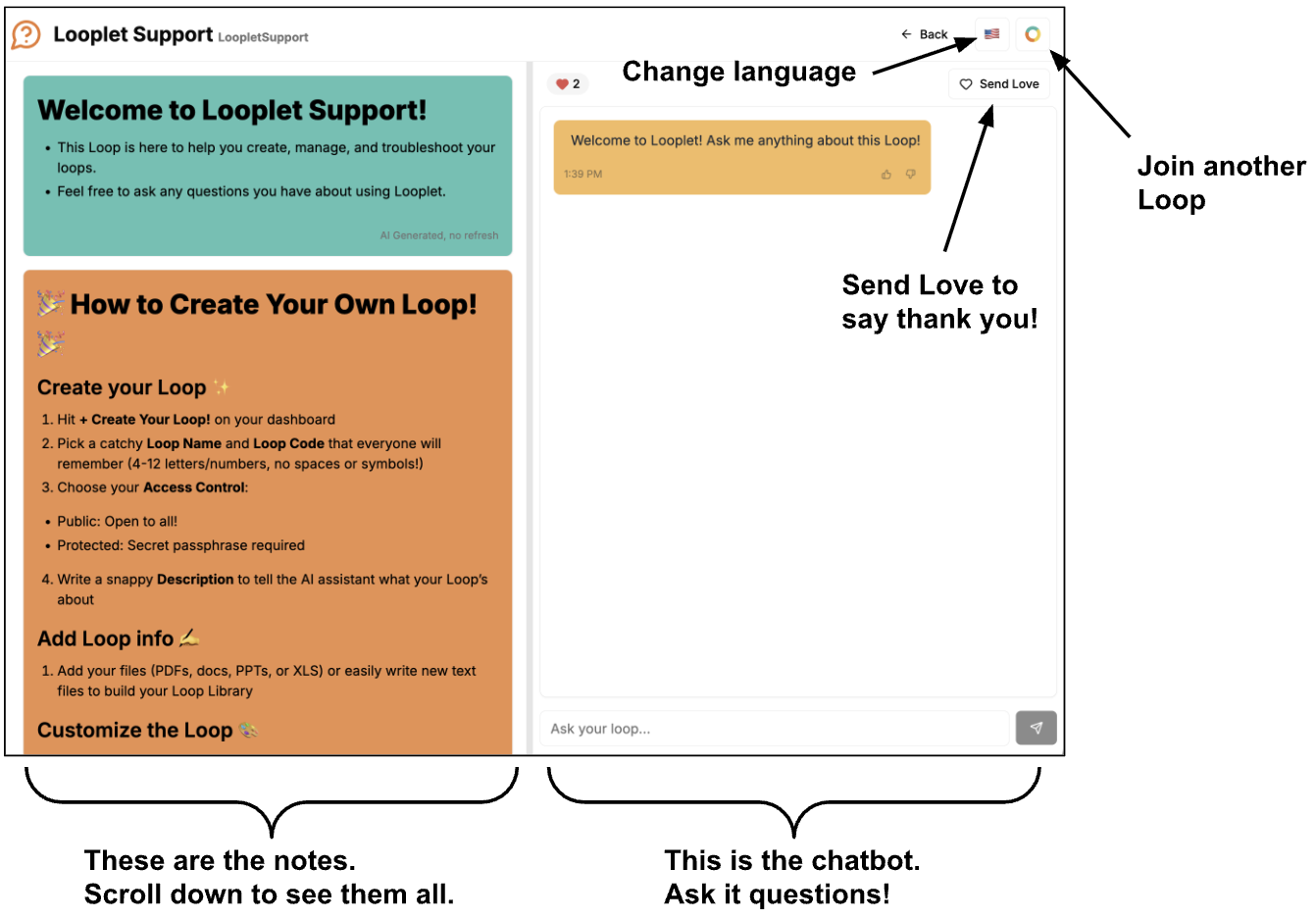
On a desktop browser, the notes and chat display side by side:
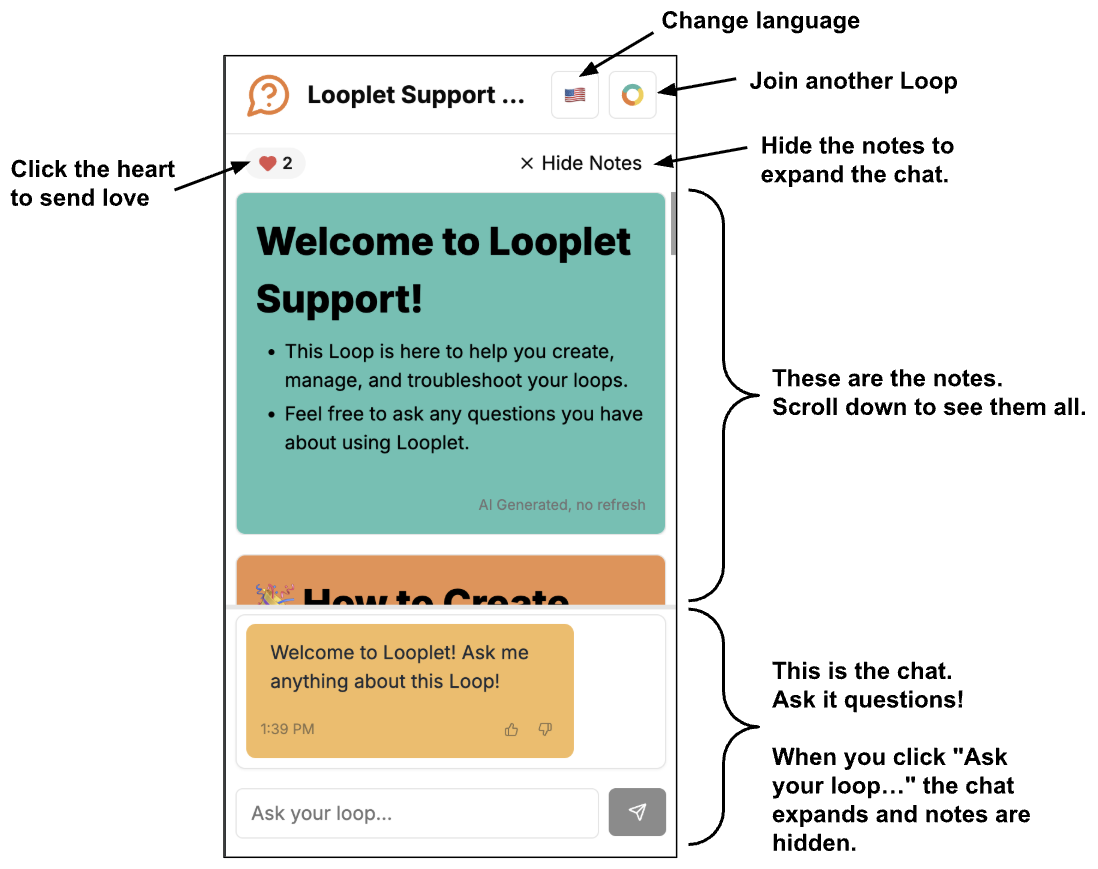
On a mobile browser, the notes display on the top and the chat on the bottom:
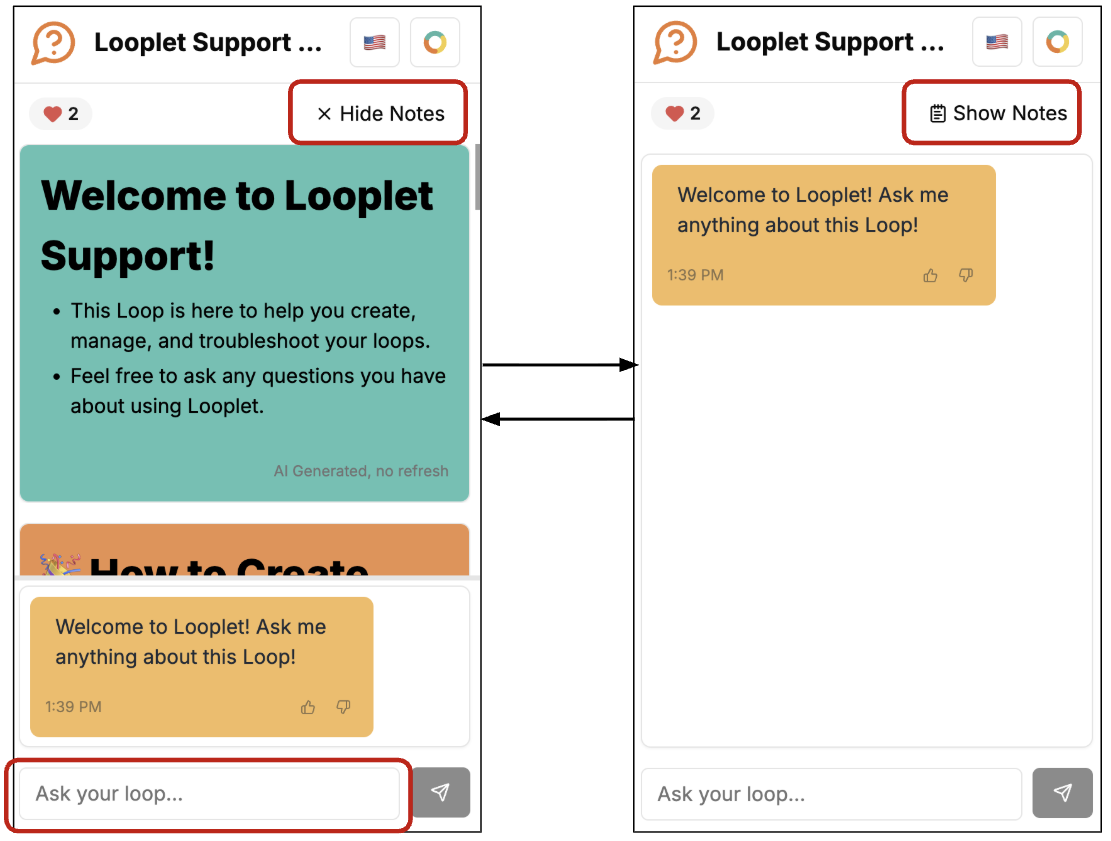
On a mobile browser, you can show and hide the notes to maximize the chat and/or notes.
Who might want to use Looplet?
The opportunities are endless! Here are just some ideas of who might want to use Looplet:
- A school or classroom to make it easier for parents to find and reference information.
- A small business to help customers quickly get the information they need about location, hours, events, policies, etc.
- A club or group to make it easier for members to find information about meeting dates, times, venues, equipment, events, etc.
- A sports team to make it easier for parents and athletes to track locations, times, jersey color, snack parent, events, volunteer requirements, rules, etc.
- A family to keep everyone in the Loop about birthday parties, events, appointments, travel plans, etc.
- The host of a large party, wedding, or event to keep guests up to date with directions, dress codes, venues, parking, gifts, etc
- A group of friends planning a trip to keep track of dates, travel plans, addresses, reservations, activities, etc.
- Caregivers who need to track medications, appointments, routines, exercises, etc.
What can Looplet do?
Looplet:
- Can create notes and answer questions using just the information a Loop Leader adds to the Loop and some general background knowledge, so the information can be trusted.
- Has some basic knowledge of the world baked into its models. So it has context on general information that it can use to answer questions.
- Here's a real example - I made a loop about rowing races, and it knew that "doubles races" are sculling events with two rowers, and "eights races" are sweep rowing events with eight rowers and a coxswain.
- Can translate notes, questions, and answers into over 40 languages.
- Need a language that isn't supported yet? Let us know..
What can't Looplet do?
Currently, Looplet can't:
- Send individual messages or notifications to anyone. It's not replacing your notification apps!
- Pull from all of the internet to answer questions. It's purposefully limited to just the information included in a particular Loop so that the information can be trusted.
- Integrate with other apps and tools...yet.
What won't Looplet do?
Looplet will never:
- Sell your data to anyone.
- Train models with your data, or allow third parties to train models with your data.
- Show you ads.
Getting Started
Ready to get started? Check out our guide on creating your first loop or learn how to use the Looplet chatbot.
Need Help?
If you have questions or need assistance, don't hesitate to contact our support team or check out the Looplet Support Loop.