
Join a Loop
There are two ways to join a Loop, via a direct link or through the Looplet website:
Direct Link
If you have the direct link to the Loop:
- Navigate to the unique Loop URL, such as looplet.ai/loop/LoopletSupport.
- If the Loop is Protected, enter the Loop passphrase when prompted.
- Passphrases are case sensitive.
- If you have trouble accessing a Protected Loop, contact the Loop Leader.
Through the Website
If you don't have the Loop link:
- Navigate to looplet.ai.
- Select Join Loop from the menu on the top right.
- Enter the unique Loop Code provided by the Loop Leader.
- Loop Codes are not case sensitive.
- If the Loop is Protected, enter the Loop passphrase when prompted.
- Passphrases are case sensitive.
- If the passphrase does not work, double check that you have entered it correctly.
- If you have trouble accessing a Protected Loop, contact the Loop Leader.
The Loop Interface
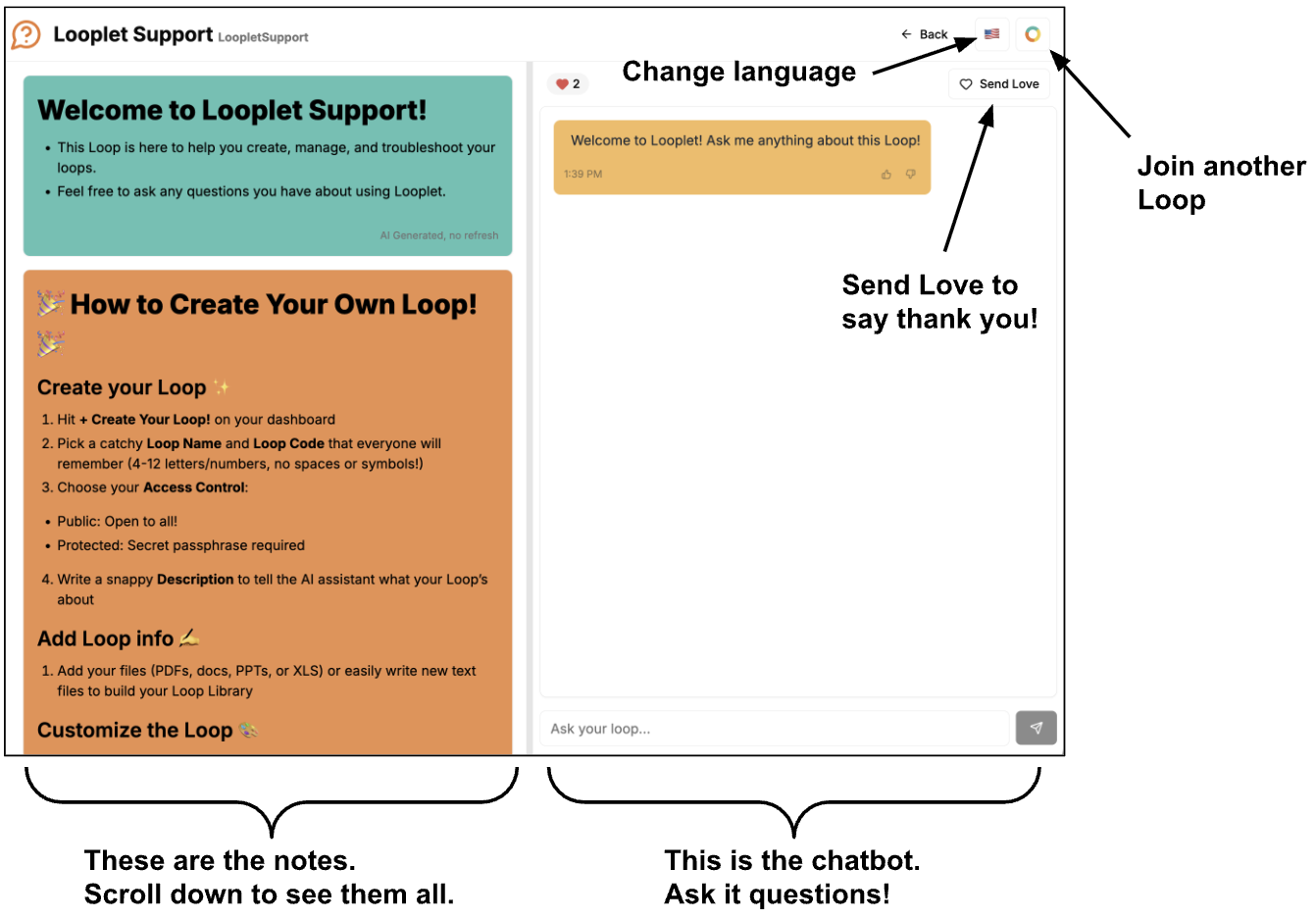
There are two main parts of a Loop: the notes and the chatbot.
- Notes are created by the Loop Leader and may include announcements, upcoming events, quick links, reminders, or short summaries of info you might need.
- The chatbot answers your questions using only the information that the Loop Leader has added to the Loop. Ask your questions in the chat to get immediate, accurate answers.
The other parts of the Loop Interface include:
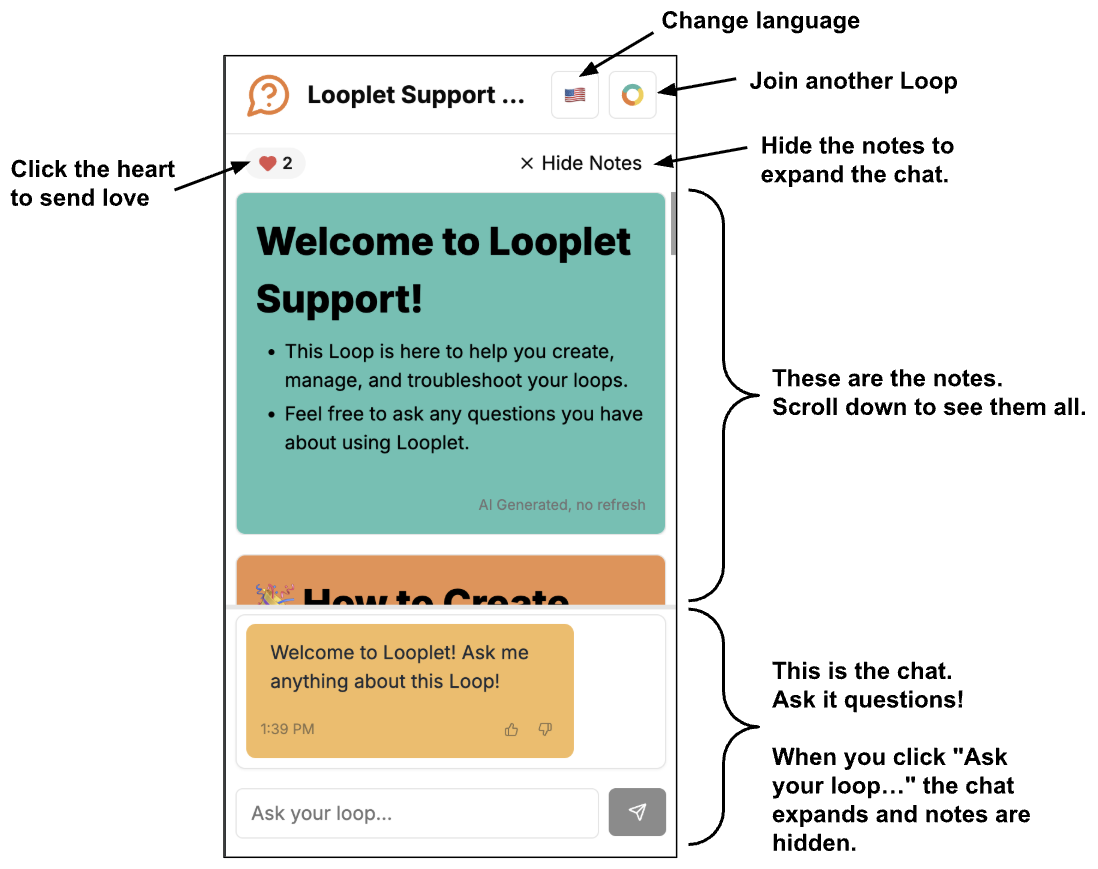
- Language selection: translate all the notes and chat into over 40 languages. Select the flag icon in the top right to change the language options.
- Send Love: show appreciation to your Loop Leader by clicking the Send Love button or heart.
- Join another Loop: select the Loop icon in the top right to join another Loop.
The interface looks different on desktop and mobile web browsers.
Desktop Browser
Notes are on the left. The chat is on the right.
Mobile Browser
Notes are on the top. The chat is on the bottom.
Tips for Mobile Browsers
- Notes display on the top. Scroll down to see them all.
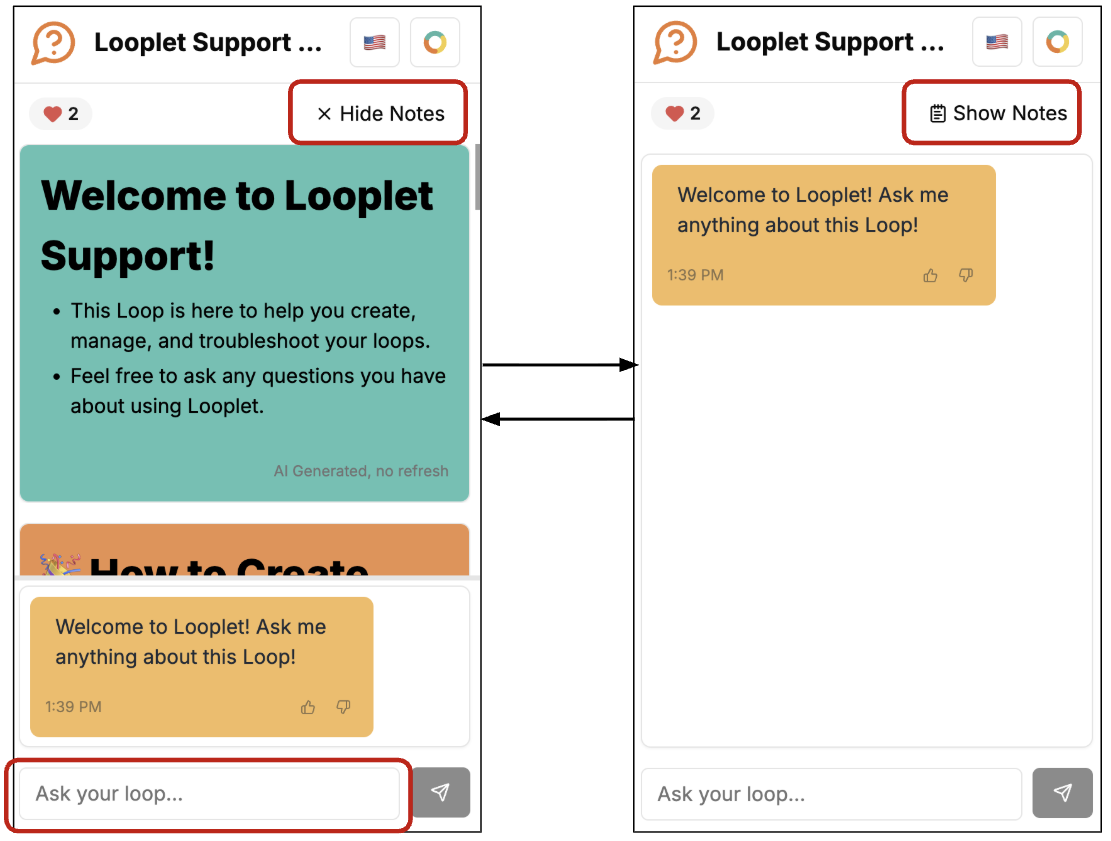
- There are two ways to hide the notes and expand the chatbot:
- Click Hide Notes above the notes section.
- Or click into the "Ask your loop…" field.
- To show the notes again, click Show Notes.
Interacting with the Chat
The chat is the place to ask your questions.
The Loop chatbot will answer your questions using the information the Loop Leader has added to the Loop or to the Notes.
If the answer to your question cannot be found in the content within the Loop, the chatbot will let you know.
Tips for asking questions
- Don't worry about proper spelling or grammar. The chatbot uses natural language processing, so it can usually figure out what you mean, even if there are typos. The chatbot will let you know if it doesn't understand you.
- Be polite. For reasons that aren't fully understood, generative AI platforms tend to provide better responses when the questions are asked with good manners.
- Ask for what you want. If there is a very specific thing you want to know, ask about that very specific thing to get a tailored answer.
- Provide context. If there is broader context you can provide that would help the chatbot return a good answer, provide it.
- Ask questions naturally. Ask questions the same way you would to your group leader or to a group chat. You'll get more specific answers to your questions.
Example questions
| What you want to know | Fine question | Better question |
|---|---|---|
| The parking situation at the race - location, cost, time | "Parking" Depending on what other information is in the Loop, you may not get all the information you want about this particular race. | "What's parking like at the race? Please tell me about location, cost, and any time restrictions." |
| The dress up themes for Wednesday and Thursday during spirit week | "What are the spirit days?" With this question, you might get just the dates of the spirit days (not the info you want) or you might get the dress up theme for every day this week (more info than you want). | "What are the spirit week themes for Wednesday and Thursday?" |
| Events that are scheduled for next month | "Upcoming events" The response to this question might include events for this month and the next few months, depending on what is in the Loop, which is more information than you want. | "Which events are scheduled next month?" |